Private by design

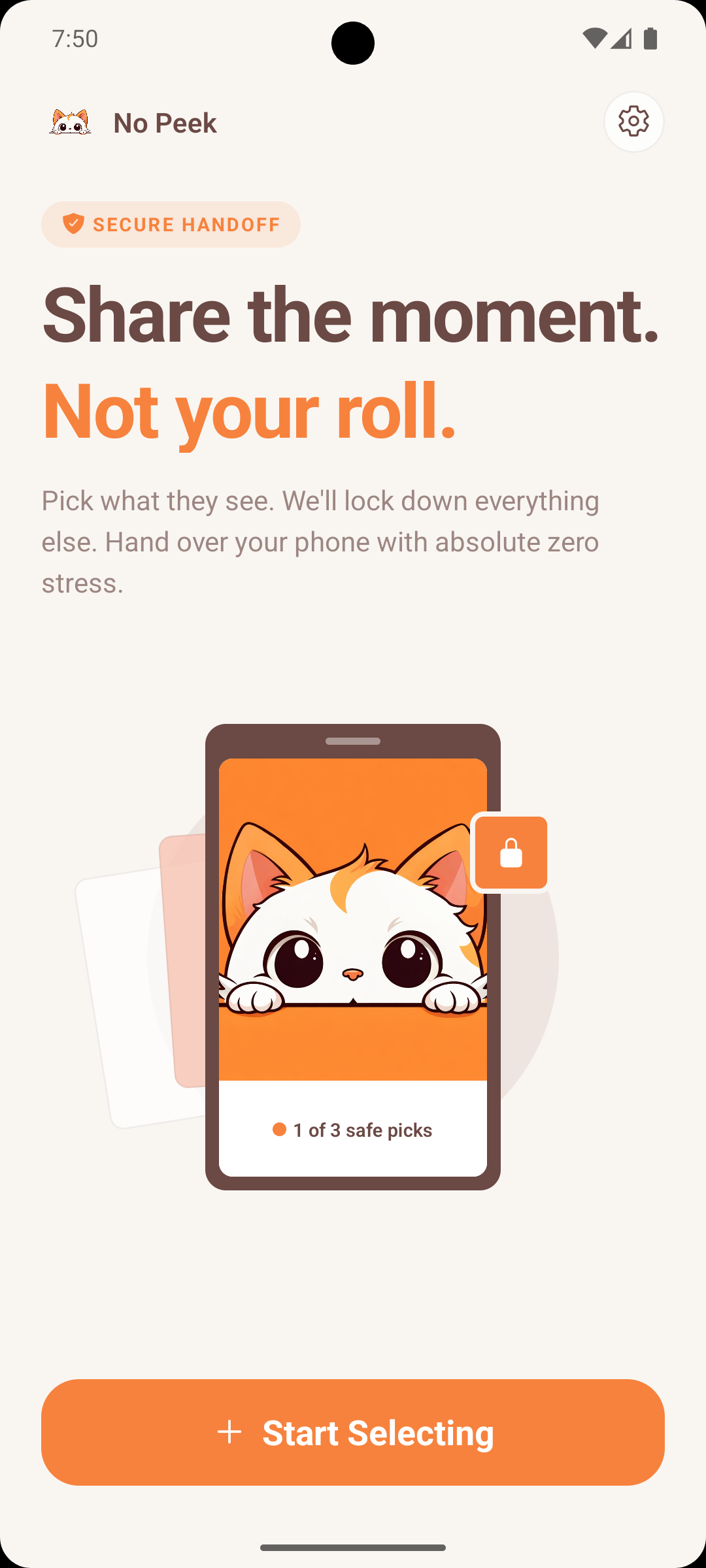
Share the moment.
Not your roll.

Pick exactly the photos and videos you want to show.
Hand over your phone with zero stress — everything
else stays locked away.

On-device only. Your photos never touch the cloud.

No cloud uploads No accounts Works offline
/ Features

Built on one idea:
you choose what they see.

No Peek is a tiny app with a big job — let you share a few photos without handing over your whole life.

Pick only what you share

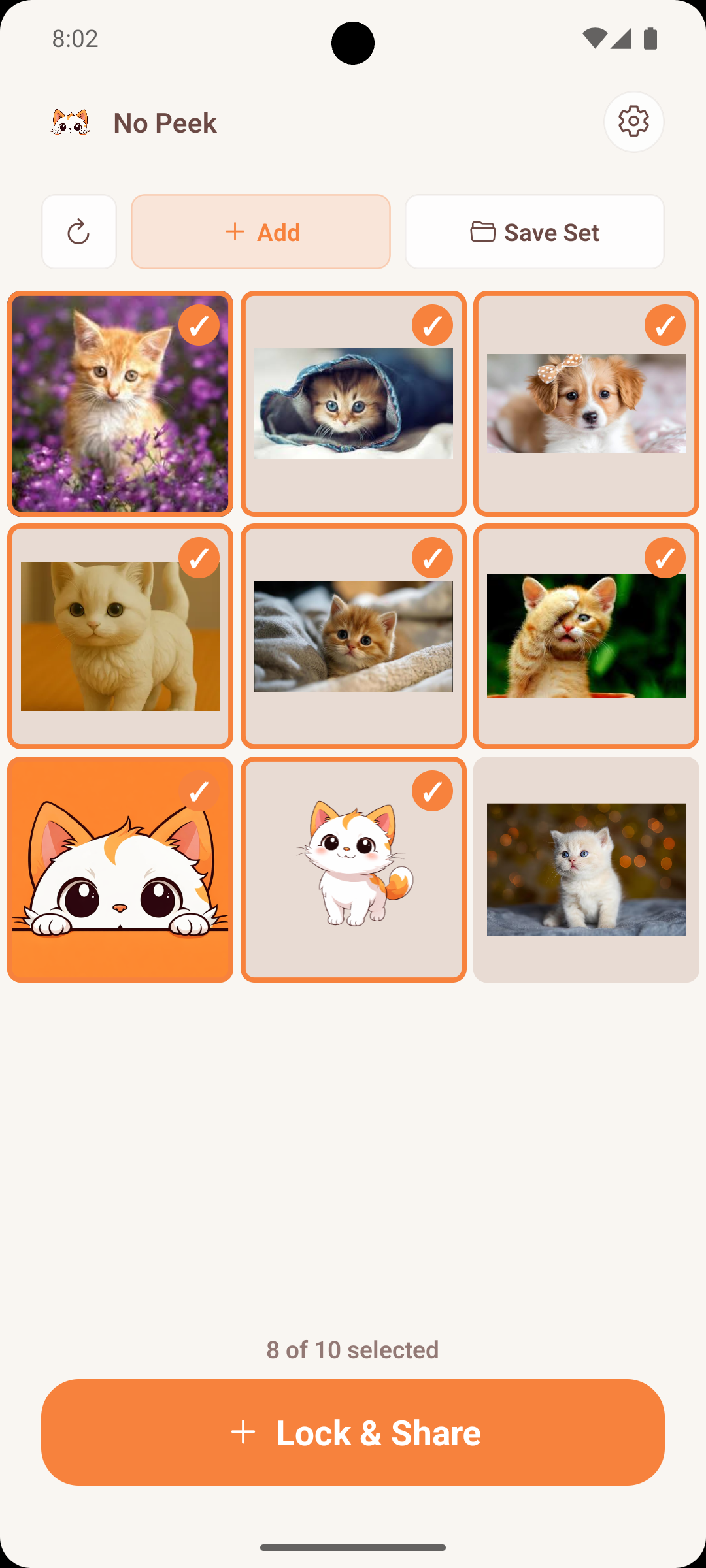
Tap to select the photos and videos for this moment. Everything else is invisible.

Guest-only viewer

Hand over the phone. The guest sees just your selection — nothing else, nowhere else.

Biometric or PIN to exit

Face ID, Touch ID, fingerprint, or a PIN keeps the session locked to the photos you chose.

Photos stay on device

No accounts, no cloud, no syncing. Your media never leaves your phone — promise.

/ How it works

Three taps between
you and peace of mind.

01 · SELECT

Pick the photos you want to show.

Scroll your library, tap what you like, save a set if it's a regular one (family trip, last vacation).

02 · LOCK

Start a safe-handoff session.

No Peek locks the screen to just your selection. Screen Pinning is available as an extra layer of safety.

03 · HAND OVER

Give the phone. Relax.

They swipe through your picks. To leave, they need your face, finger, or PIN — not happening.

/ Inside the app

A calmer way to say
“just this one.”

Warm, simple, and quiet. No Peek gets out of the way so you can just share.

Start a secure handoff.
01 · Welcome

Start a secure handoff.

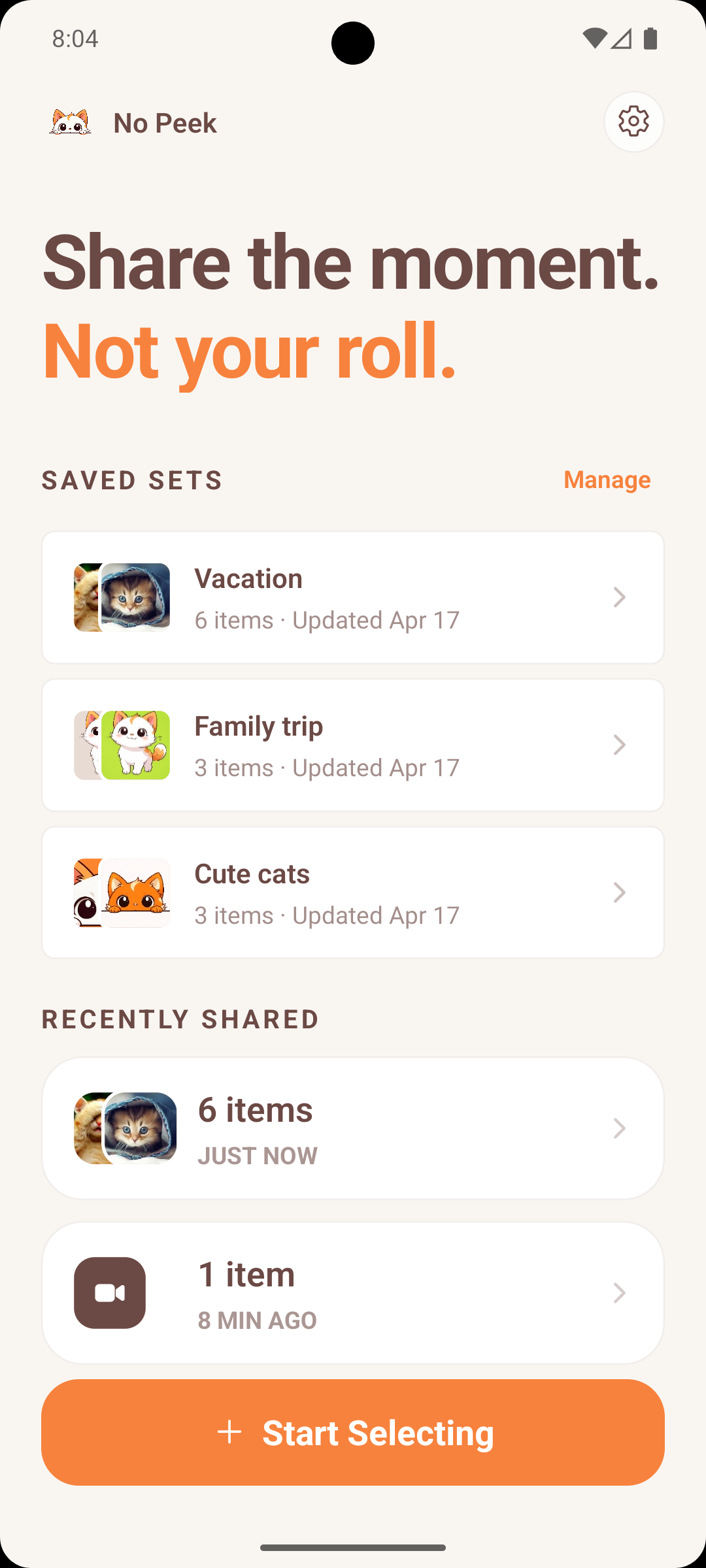
Open No Peek and begin selecting — or jump straight into a saved set you use often.

Tap to include, tap to exclude.
02 · Pick

Tap to include, tap to exclude.

Only what you select is visible in the session. Everything else stays tucked away.

Share the same moments, faster.
03 · Saved sets

Share the same moments, faster.

Keep “Family trip” or “New puppy” as a saved set. Reuse it in one tap.

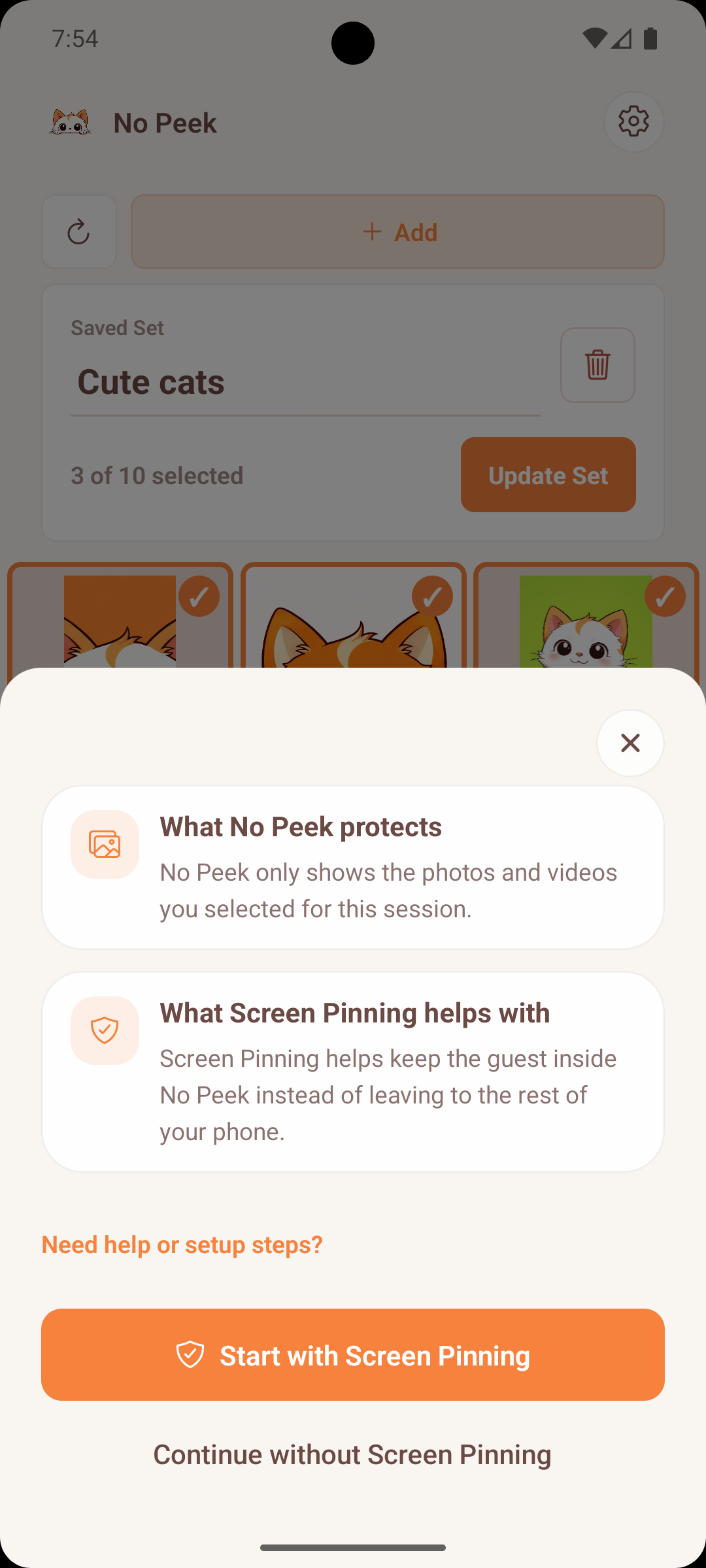
Pin it, then pass it.
04 · Lock

Pin it, then pass it.

An optional layer of Screen Pinning keeps the guest inside No Peek, not out in your phone.

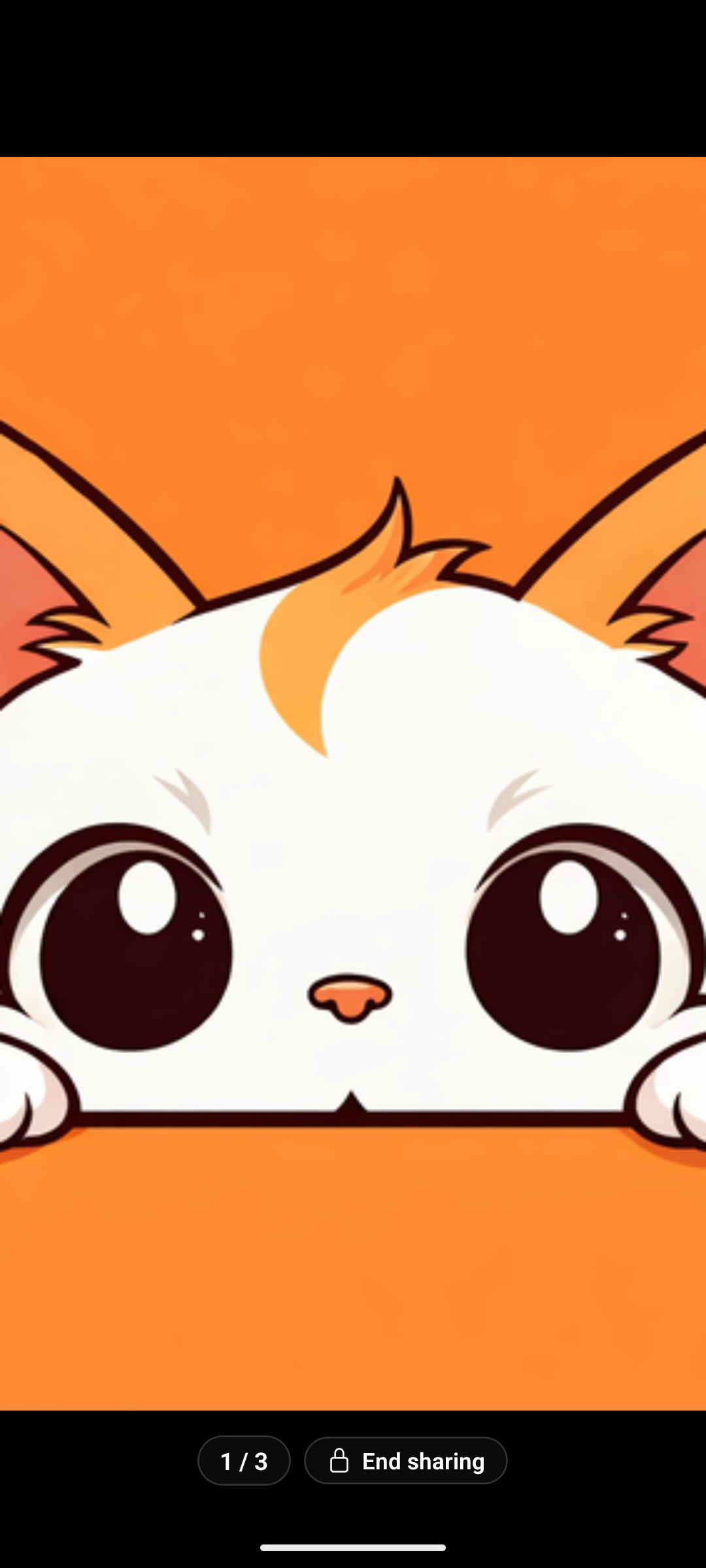
They see the moment. Only the moment.
05 · Guest mode

They see the moment. Only the moment.

A clean, swipeable viewer with a counter (1/3) and a single locked “End sharing” button — nothing else on the phone is reachable.

Privacy pledge

Your photos don’t go anywhere.

No Peek has no servers that see your photos. No backups, no "cloud processing", no training data — nothing. Selections live on your phone and vanish when the session ends.

/ FAQ

Questions, answered.

Does No Peek upload my photos anywhere?

Never. Photos and videos stay on your device, full stop. No Peek has no servers that see your media. No cloud, no backups, no accounts.

How does the guest-mode lock actually work?

When you start a session, No Peek takes over the foreground and shows only the photos you selected. To leave, the phone asks for Face ID, Touch ID, fingerprint, or a PIN — whichever your device supports. On Android we can also enable Screen Pinning for an extra layer.

What if they try to swipe to a different app?

With Screen Pinning on Android, the guest can’t leave No Peek without unlocking. On iOS, our in-app lock intercepts navigation and requires biometrics to exit. If they manage to close the app entirely, your lock screen is waiting.

Do I need an account?

No. There’s no sign-up, no email, no tracking. Install, pick photos, share. That’s it.

Which devices does it work on?

No Peek runs on iPhone (iOS 16+) and Android (9+). Biometric options depend on your device — Face ID on iPhone, fingerprint on most Androids, PIN anywhere as a fallback.

/ Get No Peek

Hand over the phone.
Keep the rest to yourself.

Free to try. Works offline. Never touches the cloud.